Streamlining State Management in React- Using Recoil to Solve Cross-Component Communication
Published on 8/3/20242 min read
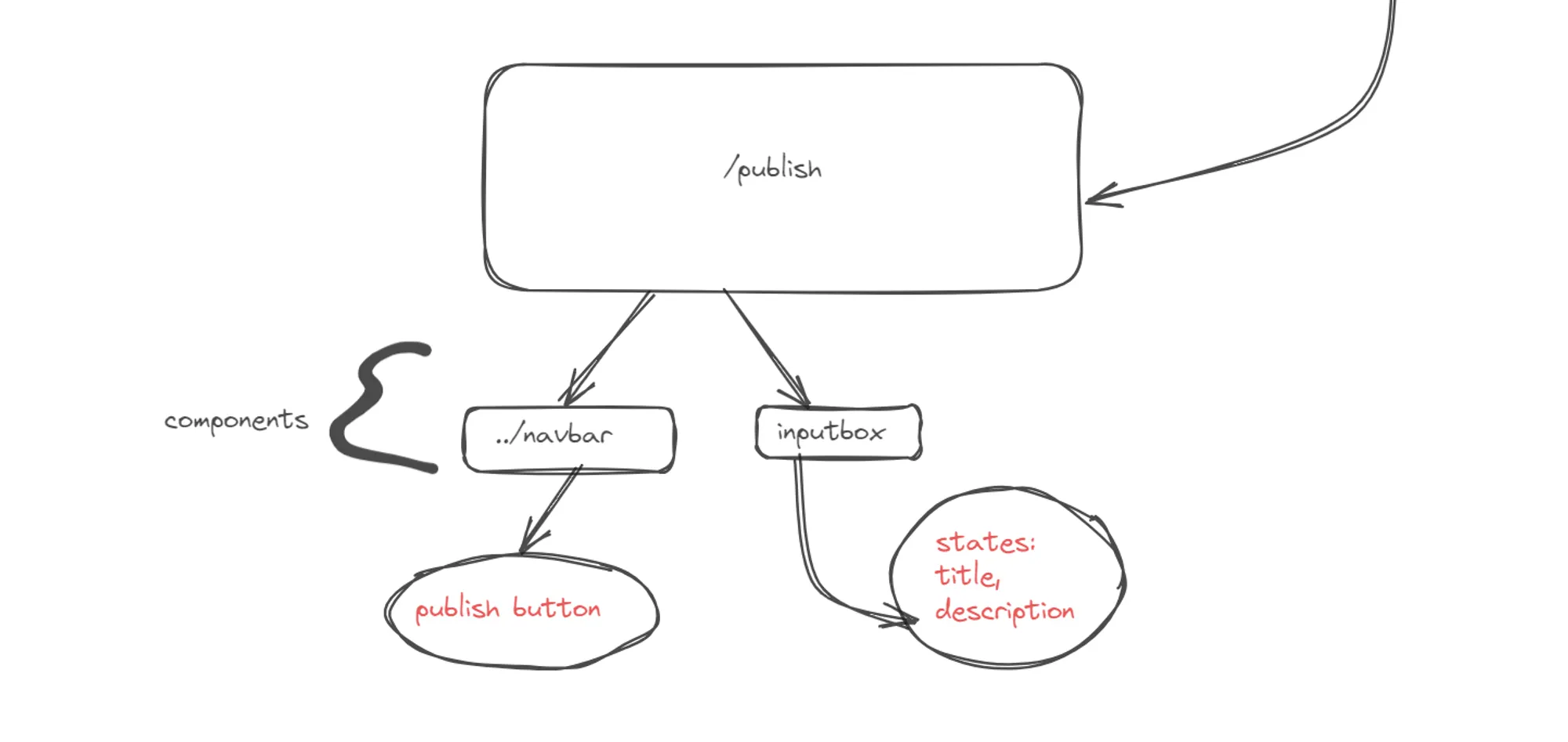 dir structure in my react app
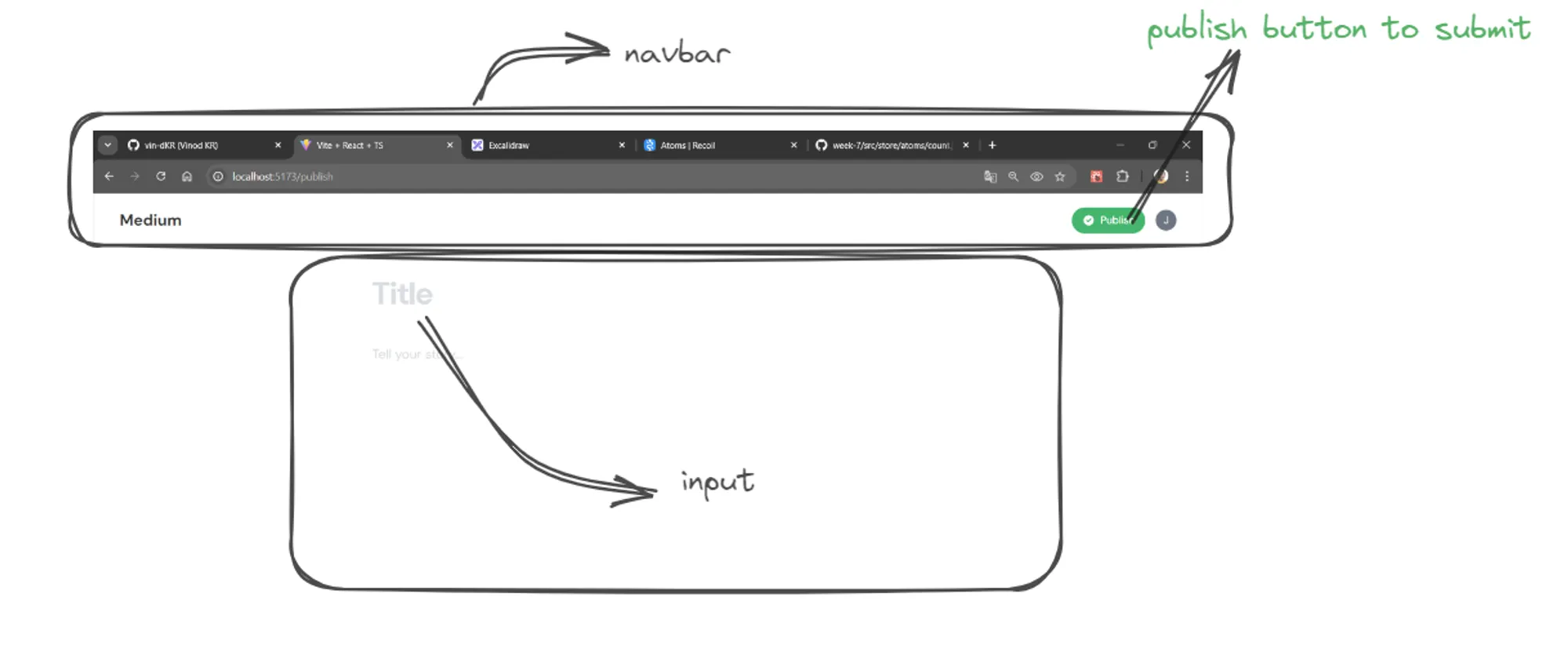 actual page in website
Problem
in this publish page i don’t have a submit/publish btn. i’ve bt in the navbar component(that is outside the publish page).
SOLUTIONS
- i can create a state in publish.tsx and pass the value into the navbar.tsx using props. — seems pretty bad idea cuz navbar is not for the publish purpose only. so for the rest of the component where navbar is used will be bothering me.
- can use STATE MANAGEMENT tool -(Recoil) — which seems indeed well.
Implementation Steps
1.npm install recoil to my front-end
2.in src/store/atoms i made an atom.ts consist of following:
import { atom } from 'recoil';

export const titleAtom = atom<string>({
  key: 'titleAtom',
  default: '',
});
export const descriptionAtom = atom<string>({
  key: 'descriptionAtom',
  default: '',
});
3.time to use these atoms in my publish component first as:
function Publish() {
    const setTitle = useSetRecoilState(titleAtom);
    const setContent = useSetRecoilState(descriptionAtom);
    // rest of the code

    //input tag
   <input
      onChange={(e) => {
          setTitle(e.target.value)
      }}
     />
     // desciption atoms used next
4.afterward i need the value of these in navbar so i can publish it.
function Navbar() {
// value from atom
  const title = useRecoilValue(titleAtom);
  const description = useRecoilValue(descriptionAtom);
  //rest of the react code....

  <button
      onClick={() => {
        console.log(title, description);
      }}>
      Publish
  </button>
and that’s how i made a clone medium of medium app. check the link below: mediyum-blog-web